 simply crafted
EDEN
How to choose your question count and quiz times in Eden
Would you prefer two short visits to the quiz or several moments spread across the day? Eden lets you choose the question count and the times of the first and last batches. Changes take effect tomorrow. Today’s plan stays the same.
Find the quiz settings
Open Settings in Eden and find the Quiz section. It contains the question count and the first and last question times.
There are four options:
| Daily questions | Times new questions appear |
|---|---|
| 4 | Twice a day |
| 6 | Three times a day |
| 8 | Four times a day |
| 12 | Four times a day |
More questions do not always mean more quiz times. Both the 8-question and 12-question options have four times at which questions appear.
Choose the start and end
Set the first and last question times. Eden spaces the intermediate times evenly between them.
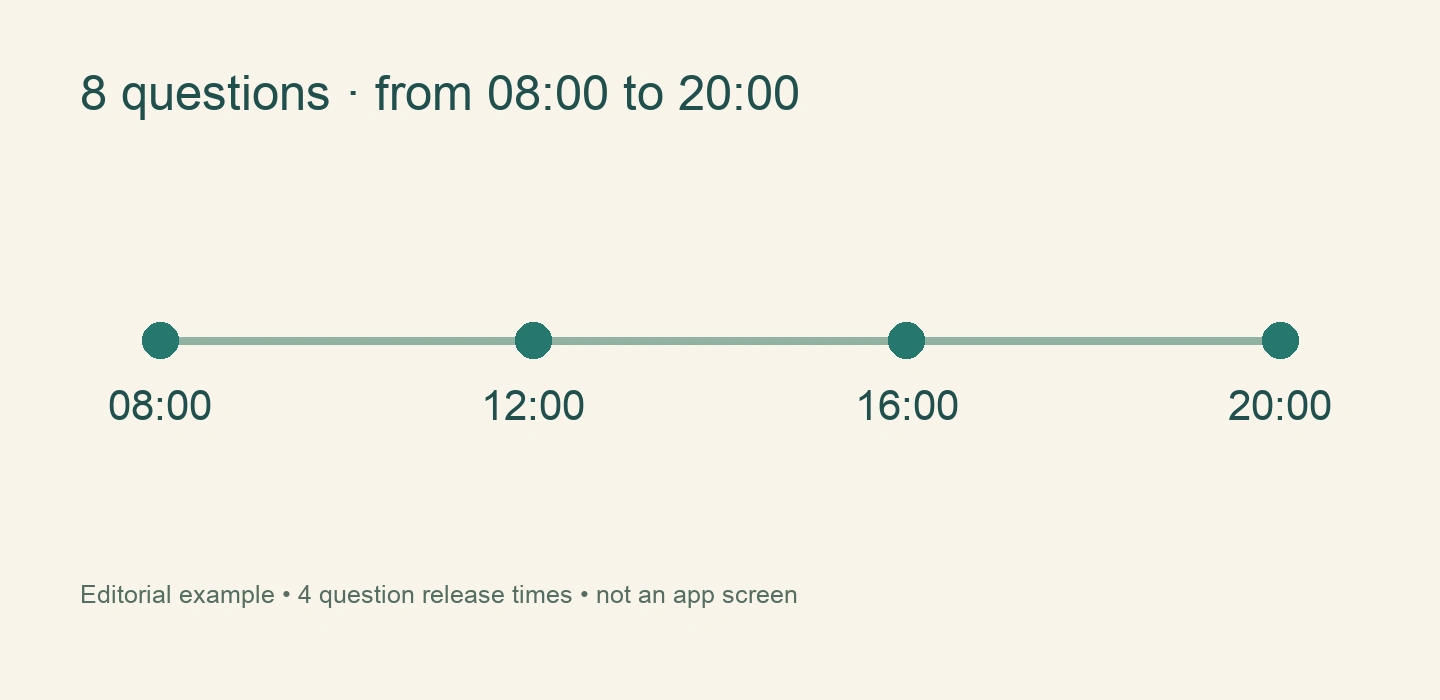
For example, 8 questions, starting at 08:00 and ending at 20:00, gives four times: 08:00, 12:00, 16:00 and 20:00. This is an editorial example, not a reading of your settings.
The settings keep at least one hour between the first and last times. The last time can be no later than 23:00.
Why has nothing changed today?
After changing the question count or times, Eden explains that the new plan starts the following day. You can adjust tomorrow’s rhythm without rearranging today’s session.
Changing these settings should not be treated as a way to add questions immediately to the current day.
Question times and notifications
The schedule controls when questions become available. Visible reminders also depend on notification permission and iPhone settings. If alerts are missing, check Eden’s notification settings in iOS.
Start with a rhythm you can comfortably return to. Read more in our guide to the daily quiz.
Download Eden on the App Store. A subscription is required for the app’s main features.