 simply crafted
OPEN SKY · SETTINGS AND WIDGETS
Open Sky on your Lock Screen: three ways to check the weather

Pick up your phone before a drive and check whether the forecast suits an open-top trip. Open Sky’s Lock Screen widgets provide a short weather summary without opening the full app view.
Three layouts
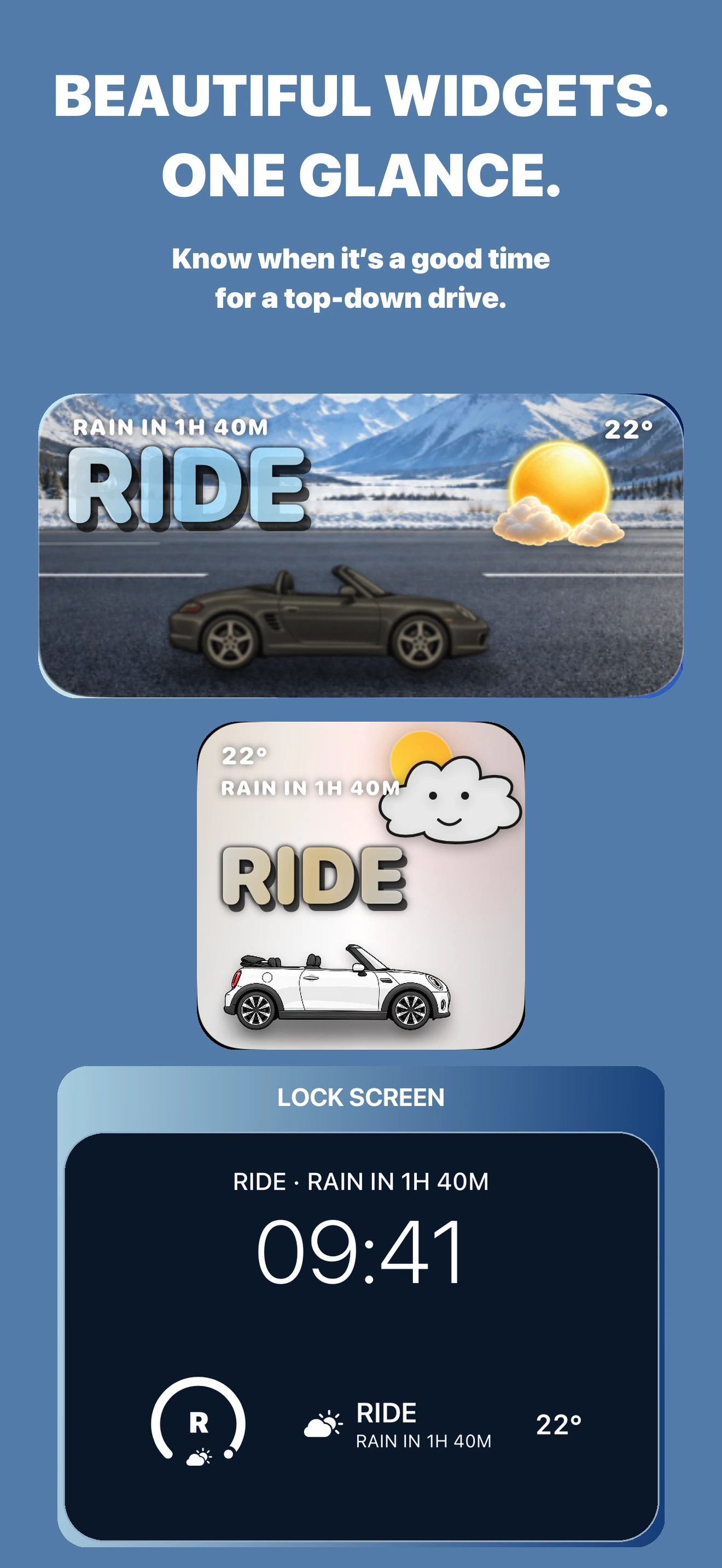
Circular uses a compact gauge with a weather symbol and an abbreviated recommendation. The English example shows R, from RIDE. The arc presents the recommendation; it is not a percentage probability of a dry journey.
Rectangular provides the recommendation, weather symbol, temperature and a short forecast context, such as the expected time until rain. Choose it when you want more detail than a single character.
Inline puts the recommendation and forecast context in one line. It fits the field above the clock. Circular and rectangular widgets belong in the Lock Screen widget area; its position depends on the iOS version and layout.
Add a widget
- Open Open Sky and set the location whose weather you want to check.
- Touch and hold the Lock Screen, authenticate if asked, then choose Customize and the Lock Screen.
- Tap the widget area and find Open Sky. Choose the circular or rectangular layout. For the inline layout, tap the field above the clock.
- Tap Done. Remove an existing widget if there is insufficient space.
Open Sky requires iOS 17.0 or later. Button names and editor layouts vary by iOS version. If the app is missing from the list, open it after installation and check the gallery again.
Premium and forecast freshness
Forecast widgets require Premium access. Check the current offer and your access status in the app.
iOS controls widget refresh timing, so the display may show an earlier update. Do not expect a continuously changing countdown or new data at a guaranteed interval. Before departure, open Open Sky and check the latest forecast for your selected location.
Long descriptions may be shortened in compact spaces, particularly at larger text sizes. Open the app for the full context. RIDE and rain timing do not guarantee dry roads; check local weather warnings before travelling.
Download Top Down Weather: Open Sky from the App Store.