 simply crafted
OPEN SKY · SCENES AND WEATHER
Cartoon Drive in Open Sky: weather with character

Our previous articles explored the Open Sky garage. Today we turn to the setting around the car. Cartoon Drive combines illustrated clouds, oversized lettering and a colourful kite. Instead of a road view, it offers a weather illustration where even the cloud has a mood.
What makes this scene different?
A large orange sun, clouds with faces and a kite sit on a light background. The car has a line-drawn finish, with a large RIDE or WAIT message behind it. The composition feels like an illustrated weather poster.
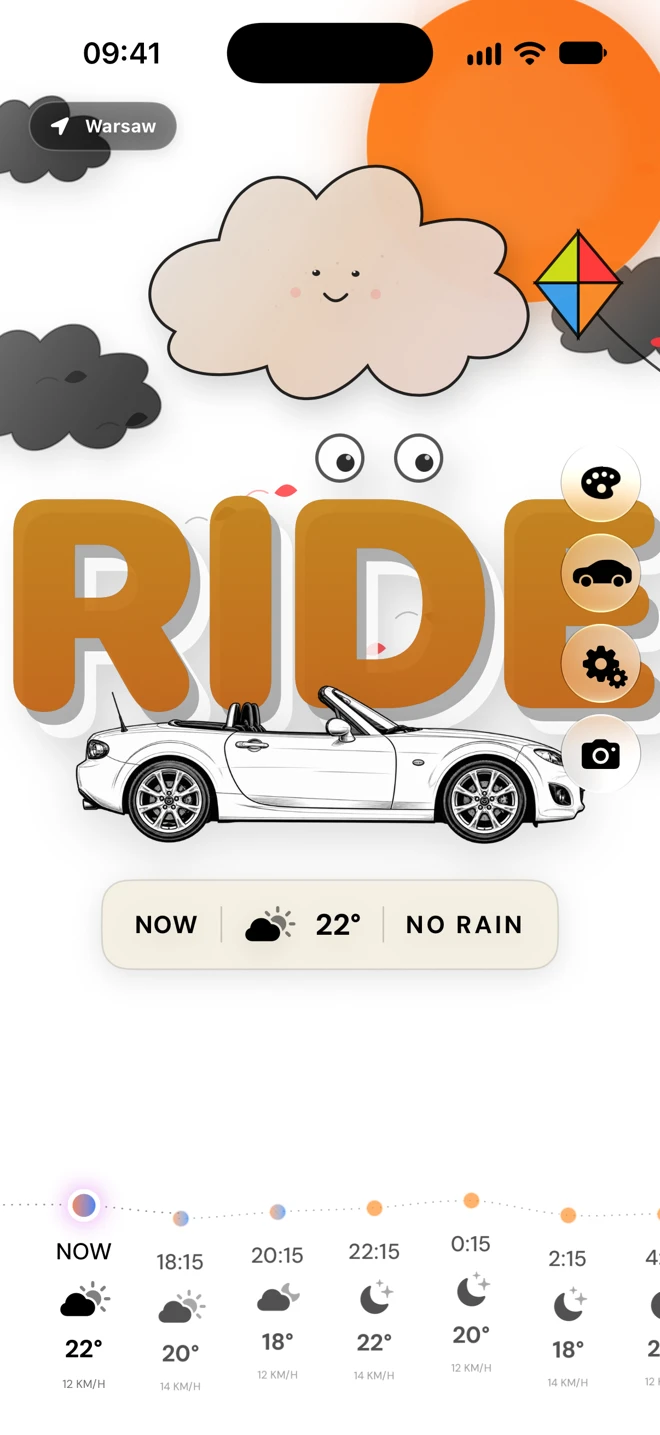
This example shows RIDE, 22° and NO RAIN. The car's roof is open. Below it, the hourly forecast still shows temperatures, weather symbols and wind. The expressive artwork and practical readings share one screen.
When the weather suggests waiting
The second screenshot shows different conditions: WAIT, 14° and DRY IN 90 MIN. The cloud is darker and frowning, raindrops appear, and the car has its roof closed. The same scene changes its mood with the weather situation being presented.
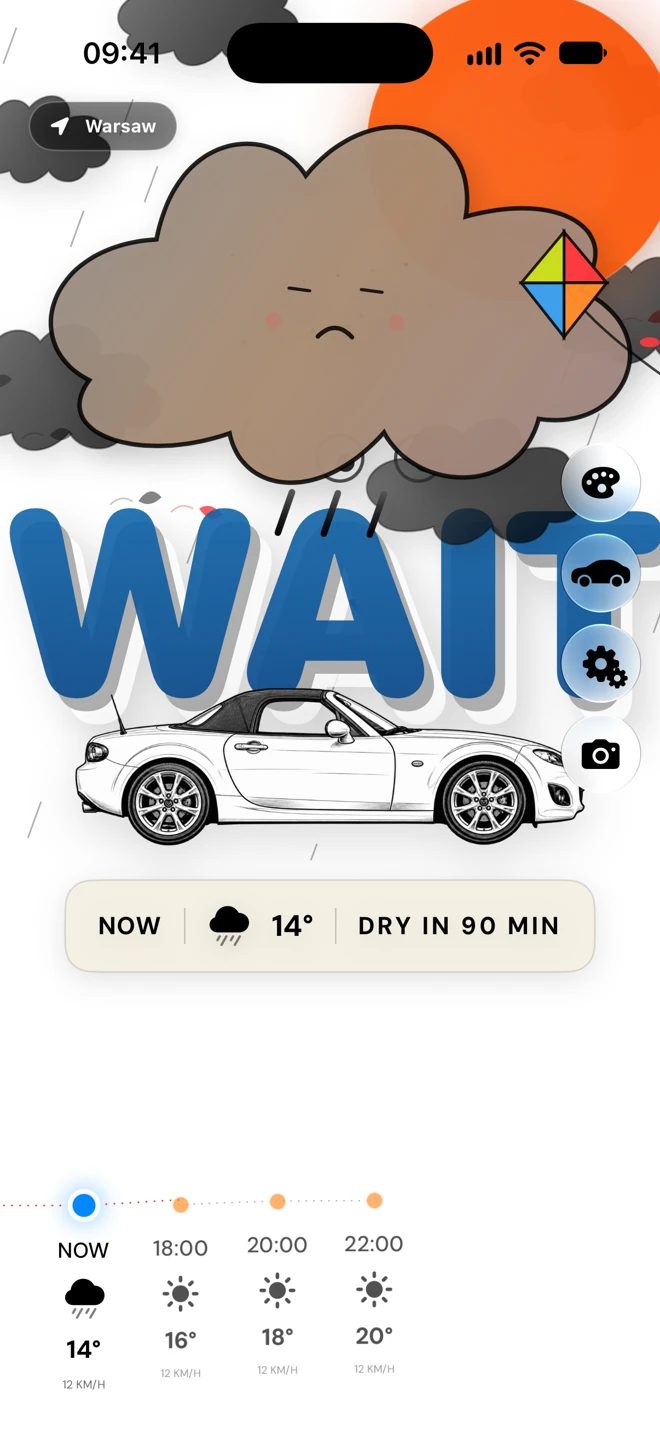
The message makes the app's recommendation quick to read. Before leaving, look through the forecast hours and check current conditions. A scene's colour or a smiling cloud cannot guarantee a dry drive.
Choosing Cartoon Drive
In the current prerelease build, open scene selection using the palette icon. Find Cartoon Drive in Scenes and tap its tile. In the app code, this sets the scene and then closes the panel.
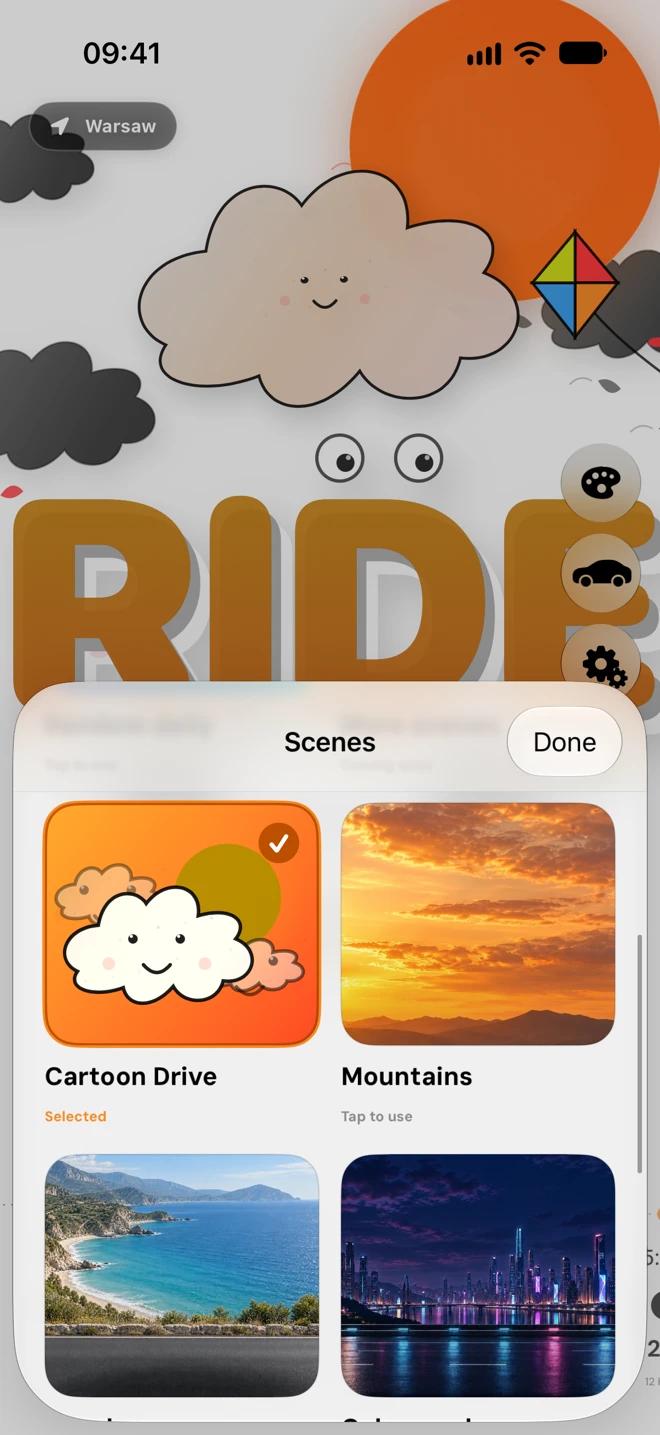
Cartoon Drive suits people who enjoy bold typography and weather artwork with a little humour. If you prefer a landscape, Mountains appears beside it in the picker. We will cover that scene separately.
Availability
The Open Sky website still says coming soon. This description and these screenshots concern the upcoming app, rather than a confirmed App Store release. The final feature set and premium terms need checking after launch.