 simply crafted
EDEN · GETTING STARTED
How to start a Bible reading plan in Eden

Would you like to read the Bible regularly, but keep wondering where to begin? Eden’s reading plans help organize your next steps: choose an approach, find your next passage, and revisit the passages you have completed.
Choose an approach
Eden offers four options. In order takes you through the Bible in book order. Thematic explores different subjects and events. Bible characters organizes reading around the stories of people in the Bible. Individual lets you select chapters and arrange their order.
Start with the approach that suits what you want to explore. Choose reading in order if you want continuity. If you are interested in a particular person, explore the character-based plan.
Choose a pace that fits your day
In the plan settings, choose an available pace and a starting point. Think about an ordinary day with work, responsibilities, and limited free time. That is a useful reference when planning your reading.
Start with an amount that leaves you time to consider the text. Review the settings and confirm your choice. The available options depend on the reading approach you select.
Read the next passage
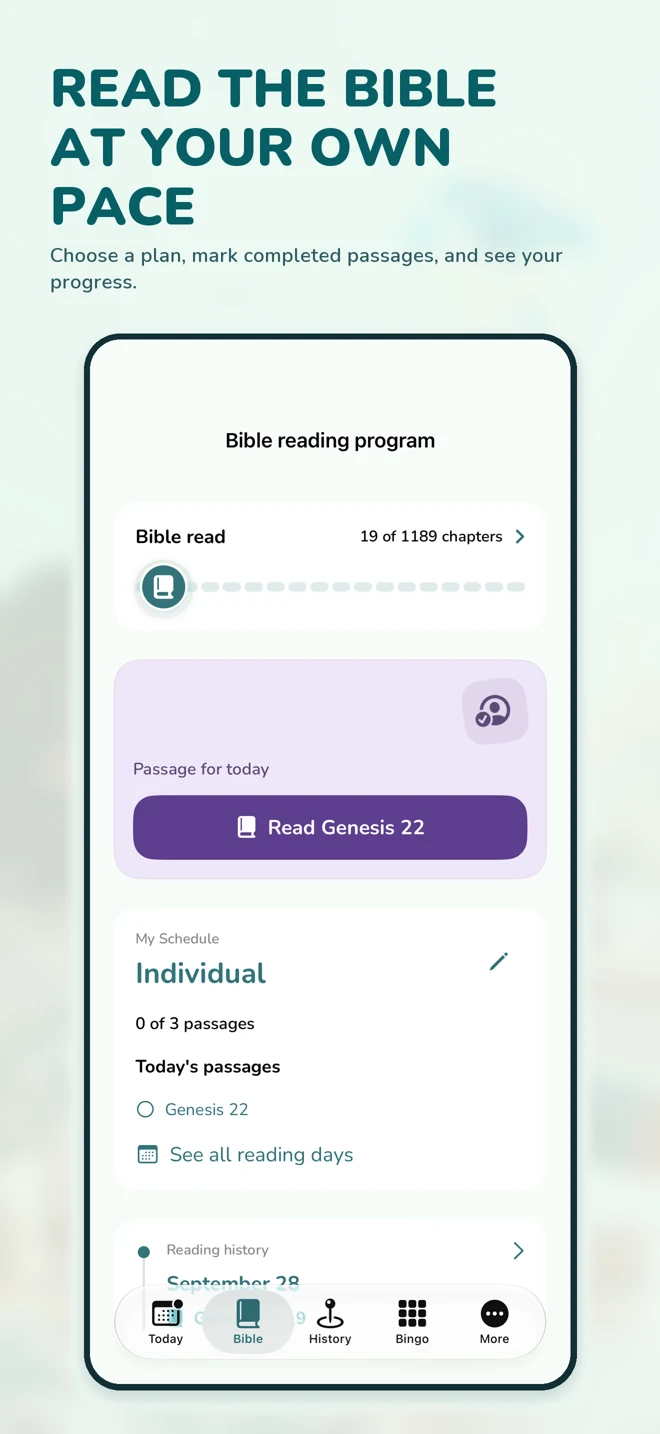
Once your plan is active, check the passage for your next reading. Read it with its context in mind: who is speaking, what happened, and what connects the events?
Eden can open Bible texts in an external service. Opening those texts requires an internet connection; also check the availability of the service you use. After reading, mark the passage as completed using the flow shown in the app.
Save one thought
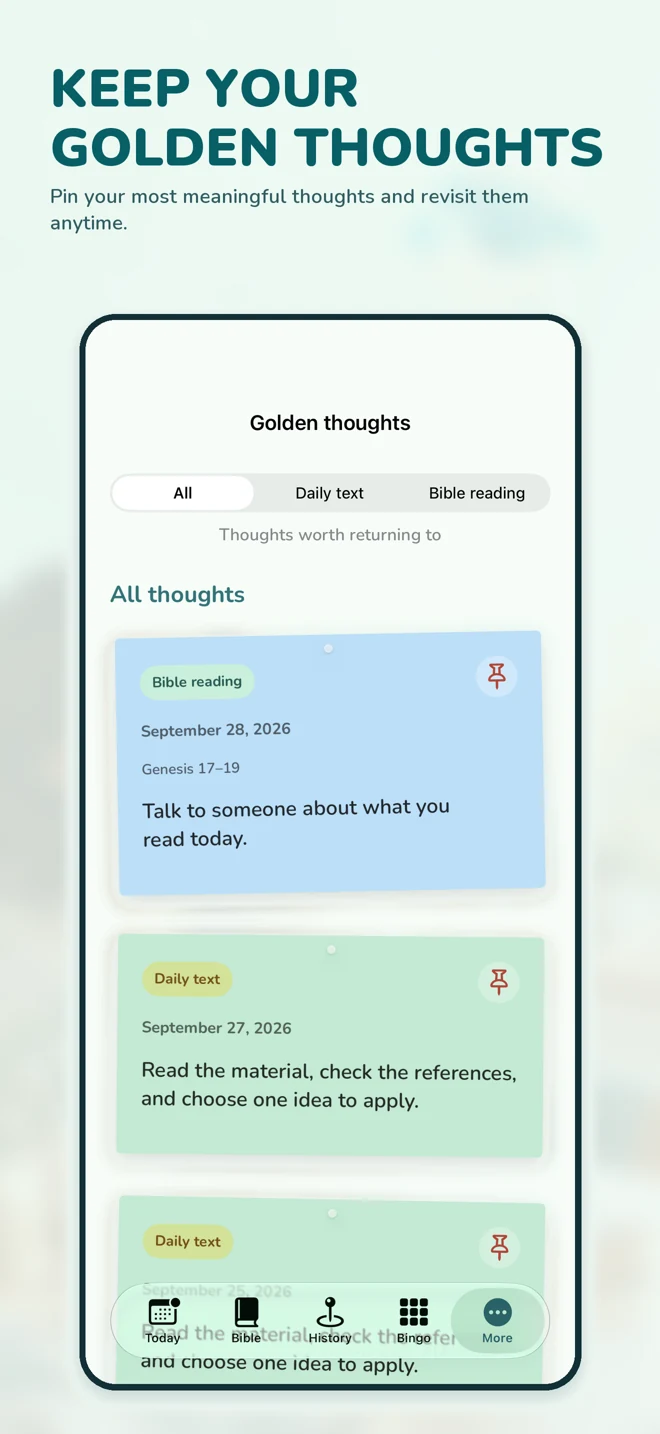
Use Golden Thoughts to keep a personal reflection from your reading. One sentence, a question to investigate, or an observation you want to revisit is enough. This is your own note, so it does not need to sound like a finished commentary.
Editorial example: “What in this passage helps me understand the person’s decision?” This is a suggested reflection question, not content generated by Eden.
Revisit your history
Your reading history lets you return to completed passages and see your progress. After a break, check where you left off and choose your next step. Reading does not need to become a race, and a chapter count is not a measure of the value of your reading.
For today, keep it simple: choose an approach, read the next passage, and save one thought of your own.
Start with Eden
Download Eden on the App Store.
Eden’s main features require an active subscription. Prices and terms are shown before purchase. Eden is an independent, unofficial app. It is not created, sponsored, or endorsed by the publishers of JW.ORG or JW Library.